> ## Documentation Index
> Fetch the complete documentation index at: https://docs.nexa.ai/llms.txt
> Use this file to discover all available pages before exploring further.

# 模型教程

> 在 Demo App 中按模型完成下载、加载与对话的步骤说明。

## **LFM2-24B-A2B-Preview-GGUF**

本小节与 [nexa-sdk 仓库 Android README](https://github.com/NexaAI/nexa-sdk/blob/main/bindings/android/README.md#tutorial-lfm2-24b-a2b-preview-gguf) 中的「Tutorial: LFM2-24B-A2B-Preview-GGUF」一致，介绍如何在演示 App 中使用 [LFM2-24B-A2B-Preview-GGUF](https://huggingface.co/NexaAI/LFM2-24B-A2B-Preview-GGUF) 模型。

### **操作步骤**

<Steps>
  <Step title="安装 App">
    安装演示 App（APK 或从源码构建）。APK 下载与从源码编译步骤见 [GitHub Android README](https://github.com/NexaAI/nexa-sdk/blob/main/bindings/android/README.md) 的「Quick Start with APK」与「Build from Source」。
  </Step>

  <Step title="选择模型">
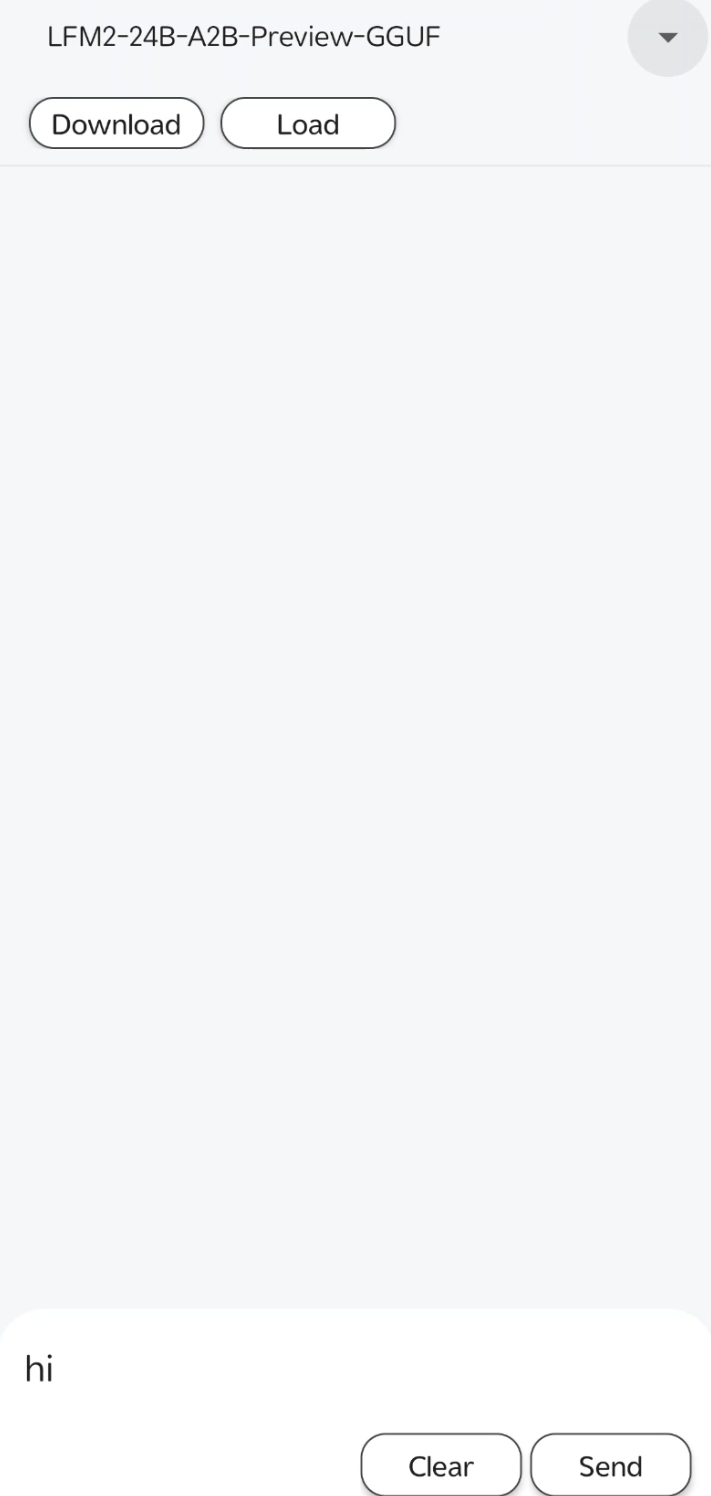
    打开模型选择器（模型名称旁的下拉菜单），选择 **LFM2-24B-A2B-Preview-GGUF**。

    <img src="https://raw.githubusercontent.com/NexaAI/nexa-sdk/main/assets/lfm0.png" alt="选择模型" style={{ borderRadius: '0.5rem', marginTop: '0.75rem', maxWidth: '240px', width: '100%', height: 'auto' }} />
  </Step>

  <Step title="下载">
    点击 **Download**，将模型下载到设备，等待下载完成。
  </Step>

  <Step title="加载">
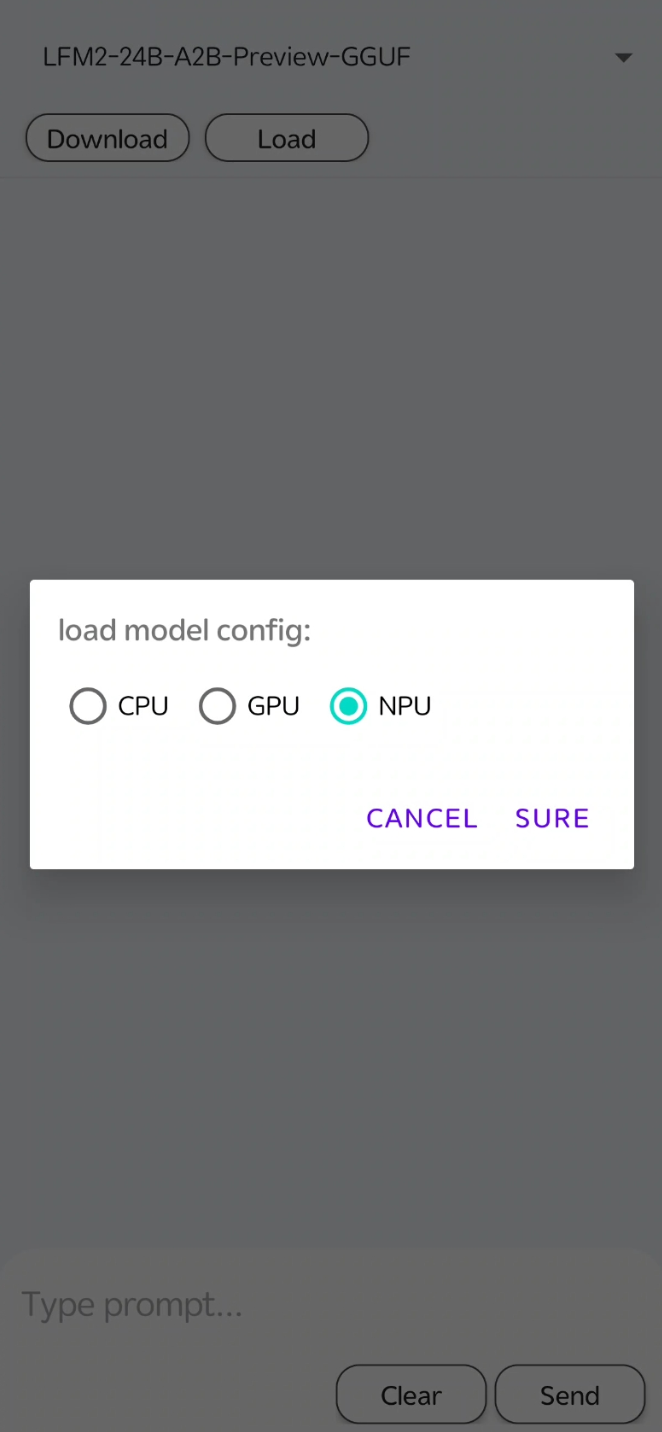
    点击 **Load**。在出现的「加载模型配置」弹窗中选择 **CPU**、**GPU** 或 **NPU**（Qualcomm NPU），然后点击 **SURE**。加载完成后即可使用对话区域。

    <img src="https://raw.githubusercontent.com/NexaAI/nexa-sdk/main/assets/lfm1.png" alt="加载模型配置" style={{ borderRadius: '0.5rem', marginTop: '0.75rem', maxWidth: '240px', width: '100%', height: 'auto' }} />
  </Step>

  <Step title="对话">
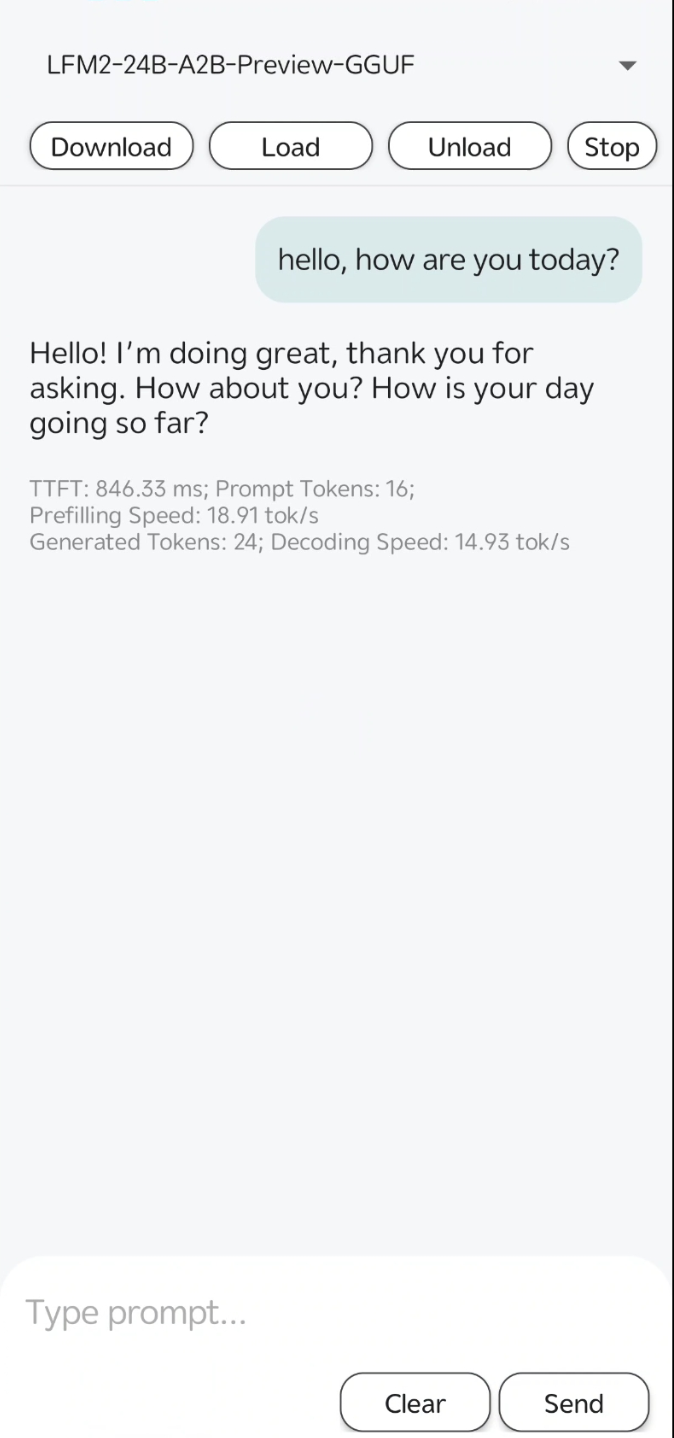
    在底部输入框中输入内容，点击 **Send** 获取回复。使用 **Clear** 可清空输入或会话。
    <img src="https://raw.githubusercontent.com/NexaAI/nexa-sdk/main/assets/lfm2.png" alt="对话界面" style={{ borderRadius: '0.5rem', marginTop: '0.75rem', maxWidth: '240px', width: '100%', height: 'auto' }} />
  </Step>
</Steps>

<br />

<div class="feedback-wrapper">
  <span class="feedback-label">Was this page helpful?</span>

  <div class="feedback-toggle">
    <input type="radio" name="feedback" id="feedback-yes" class="feedback-input" />

    <label for="feedback-yes" class="feedback-button">
      <img src="https://mintcdn.com/nexaai/g8-zBYnunEyVtcK3/Images/FeedBack/thumbs-up.svg?fit=max&auto=format&n=g8-zBYnunEyVtcK3&q=85&s=0b57c51c8db9940403e7552956e5c30e" alt="Thumbs up" class="feedback-icon" noZoom width="14" height="14" data-path="Images/FeedBack/thumbs-up.svg" />

      Yes
    </label>

    <input type="radio" name="feedback" id="feedback-no" class="feedback-input" />

    <label for="feedback-no" class="feedback-button">
      <img src="https://mintcdn.com/nexaai/g8-zBYnunEyVtcK3/Images/FeedBack/thumbs-down.svg?fit=max&auto=format&n=g8-zBYnunEyVtcK3&q=85&s=ebacf61d57c8259c6df243d329b548b3" alt="Thumbs down" class="feedback-icon" noZoom width="14" height="14" data-path="Images/FeedBack/thumbs-down.svg" />

      No
    </label>
  </div>
</div>